Image
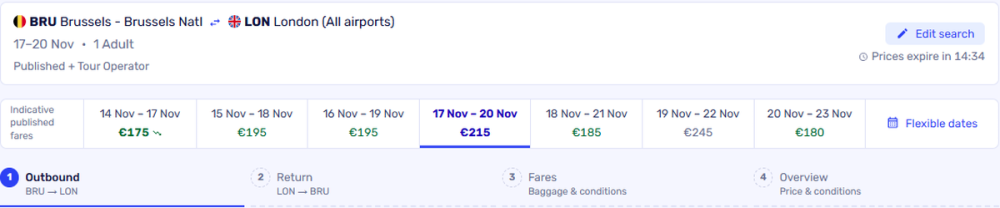

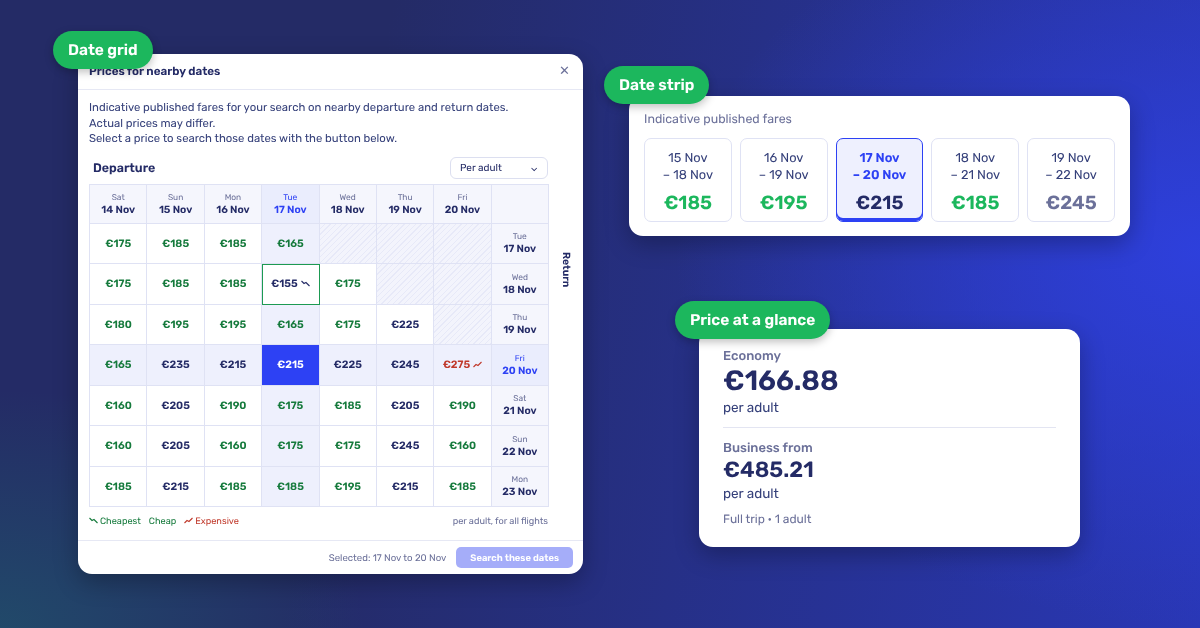
As of today, 2 November, Getflights Pro has a redesigned search and results page. New are the date strip and the date grid showing the cheapest published GDS price per day, searching across multiple airports and extra filters. The tool has also become faster and smoother.
Above your search results there is now a date strip. It shows the cheapest published GDS price for your chosen travel dates and for the days around them, always with the same trip length and up to 3 days earlier or later. That way you can see right away whether travelling a day earlier or later saves your client money.
Please note, this is always based on the cheapest published GDS price. NDC or tour operator fares may be even cheaper.
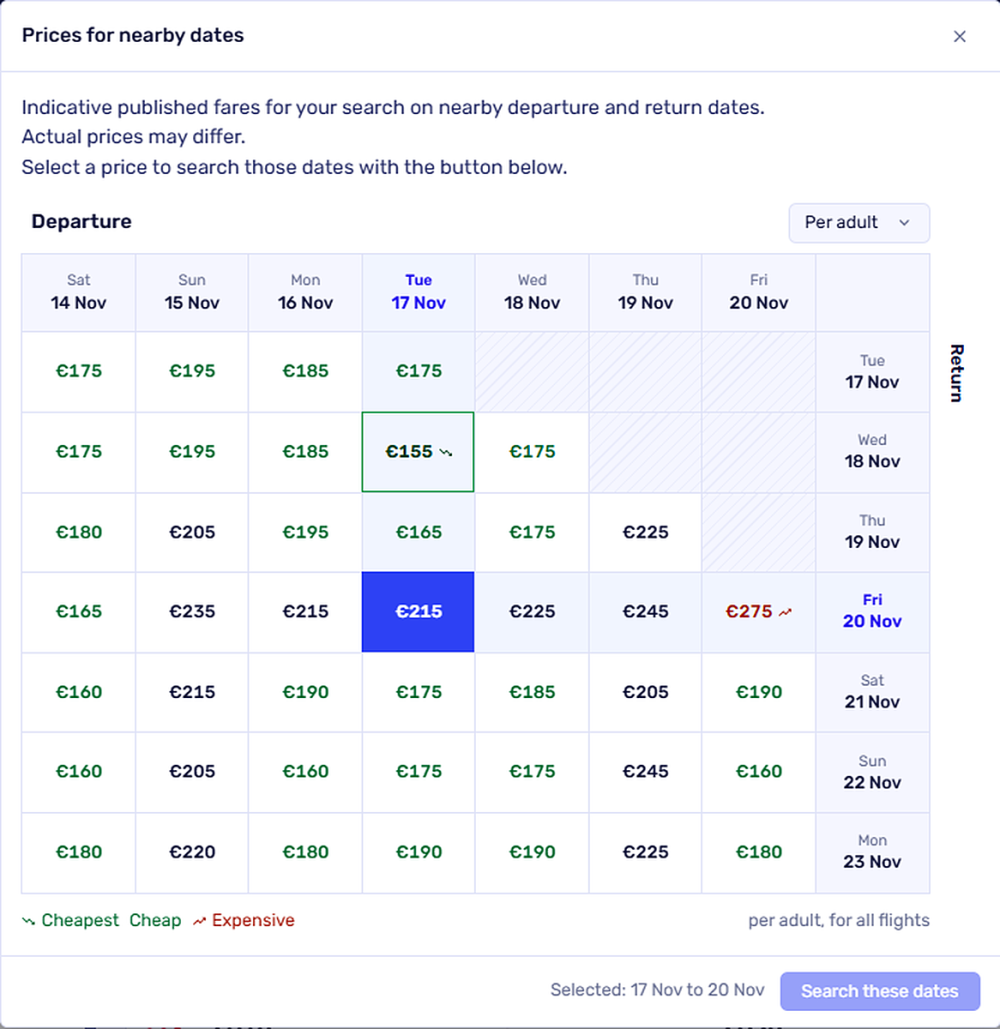
Want even more of an overview? Open the flexible dates next to the date strip and you get a date grid: a grid with the prices for all combinations of departure and return date, up to 3 days before and after your chosen dates. Cheap and expensive combinations are colour-coded and the cheapest combination is highlighted. Select a price in the grid and search those dates straight away.
The date strip and date grid are available for return trips and one-way trips with a single departure point and a single destination. They are not available for mixed cabin classes. Prices are indicative: the actual price may differ, so always check it in the results.
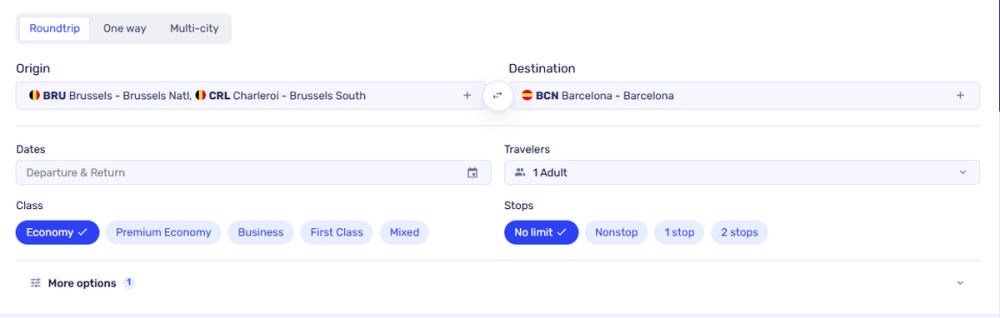
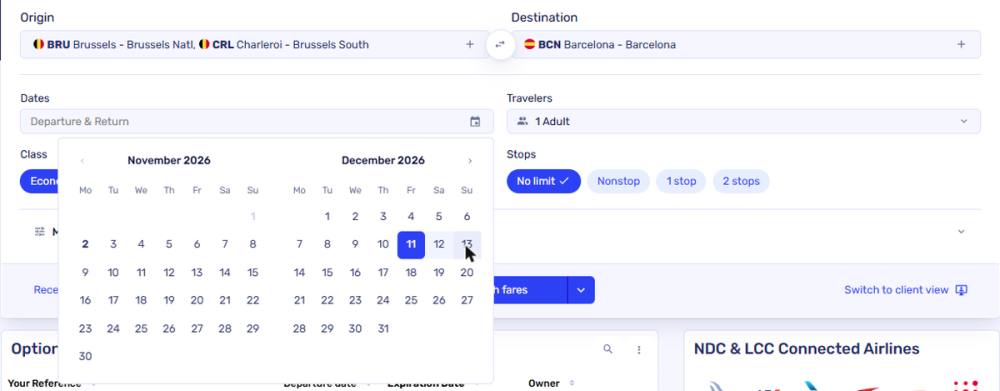
Is your client torn between Brussels and Amsterdam, or between Barcelona and Milan? You now search in a single query with multiple departure and arrival points, up to 4 in total. If you choose a city with all its airports, such as London or Barcelona, you search all those airports at once.
You now pick your dates in a calendar that shows two months at once. That makes choosing a departure and return date across a change of month a lot easier.
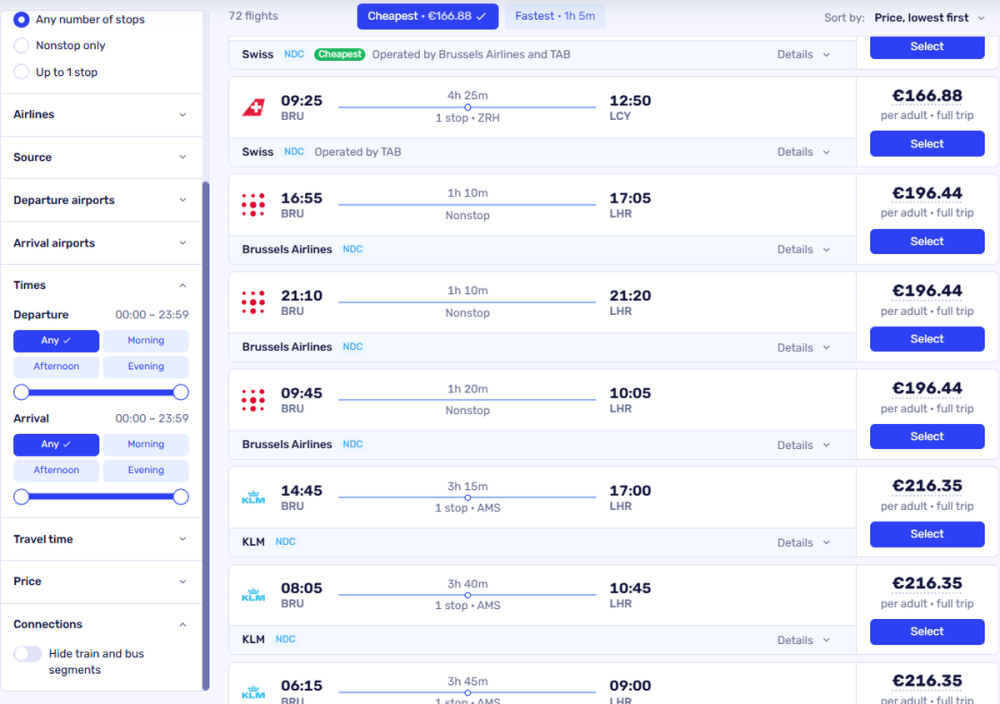
All filters are now in the sidebar next to your results: stops, airlines, source, departure and arrival airports, times, travel time and price. There are also two new features:
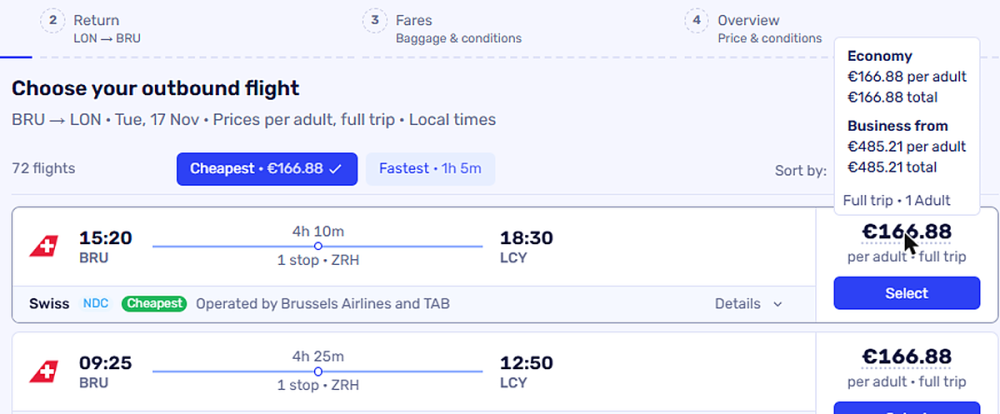
Hover over the price of a flight and you immediately see the economy price and the business price (from), per adult and the total for the full trip. No need to click through any more to see them.
There are a few more improvements:
Try it right away in Getflights Pro. Comments or questions? Let us know via your usual Getflights contact.